Choose a platform, then tour every module inside it
Explore current full-sidebar web captures for Sales, POS, Rental, Service, StatusBoard, SignagePro, HRM, Connect CRM, and Survey. Watch a captioned platform walkthrough or continue into the original DisplayQue Plus mobile app evidence—no form required.
Tour each platform and every module inside it
Every image comes from the current authenticated web app. The complete sidebar stays visible; only account identity and unrelated personal records are privacy-masked.

Dashboard
Explore the current Dashboard workspace inside Sales, shown with its authentic platform navigation and page context.
Share this module viewFour workflows in one concise video
The video is assembled from the same reviewed full-shell module captures. It never autoplays and includes captions.
Video transcript
A concise walkthrough of the current Sales dashboard and representative modules using the same privacy-reviewed full-shell captures available in this tour.
Tour transcript
A text equivalent for every Sales module capture.
- 1
Dashboard
The Sales Dashboard view keeps the platform sidebar visible and presents the current module workspace using privacy-reviewed demonstration data.
- 2
Sales
The Sales Sales view keeps the platform sidebar visible and presents the current module workspace using privacy-reviewed demonstration data.
- 3
Quotations
The Sales Quotations view keeps the platform sidebar visible and presents the current module workspace using privacy-reviewed demonstration data.
- 4
Customers
The Sales Customers view keeps the platform sidebar visible and presents the current module workspace using privacy-reviewed demonstration data.
- 5
Products
The Sales Products view keeps the platform sidebar visible and presents the current module workspace using privacy-reviewed demonstration data.
- 6
Categories
The Sales Categories view keeps the platform sidebar visible and presents the current module workspace using privacy-reviewed demonstration data.
- 7
Inventory
The Sales Inventory view keeps the platform sidebar visible and presents the current module workspace using privacy-reviewed demonstration data.
- 8
Purchases
The Sales Purchases authenticated capture is withheld. The production purchase API currently rejects both Draft and Pending saves. The failed form is withheld until a purchase can be persisted and verified after reload.
- 9
Suppliers
The Sales Suppliers view keeps the platform sidebar visible and presents the current module workspace using privacy-reviewed demonstration data.
- 10
Employees
The Sales Employees view keeps the platform sidebar visible and presents the current module workspace using privacy-reviewed demonstration data.
- 11
Roles
The Sales Roles view keeps the platform sidebar visible and presents the current module workspace using privacy-reviewed demonstration data.
- 12
Reports
The Sales Reports view keeps the platform sidebar visible and presents the current module workspace using privacy-reviewed demonstration data.
- 13
Notes
The Sales Notes authenticated capture is withheld. The current note workflow did not retain a synthetic note after reload, so optimistic-only note UI is withheld.
- 14
Messages
The Sales Messages authenticated capture is withheld. No message was sent solely to manufacture marketing data.
- 15
Notifications
The Sales Notifications authenticated capture is withheld. No notification was triggered solely to manufacture marketing data.
Carry platform context into the native workspace
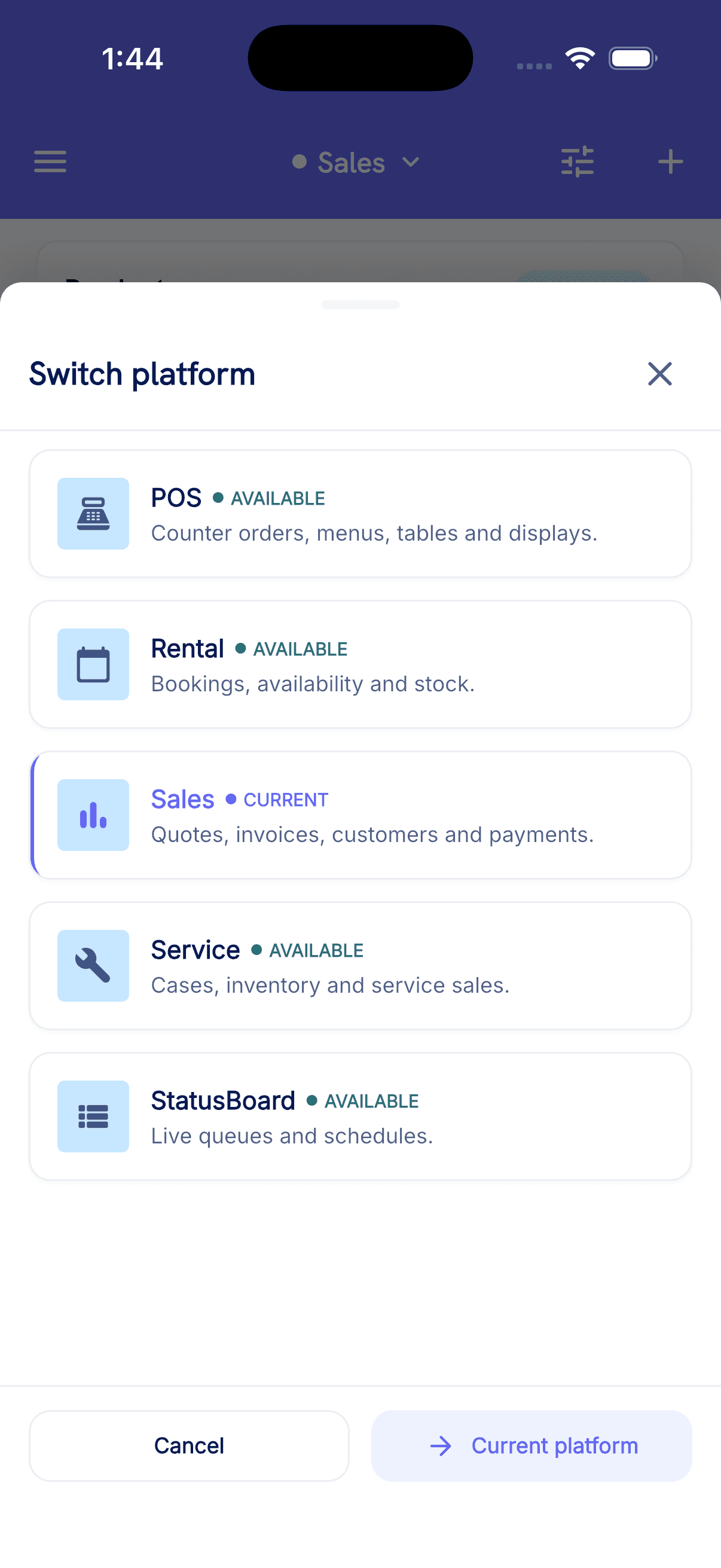
These simulator captures show the current platform switcher, Sales, catalogue, and POS experiences available in the reviewed Plus session.
How packaging is scoped
A proposal is shaped by selected platforms and modules, users and roles, locations, devices, migration, integrations, onboarding, and support requirements.