Restaurant POS software for billing, tables, kitchen flow, and faster service
Manage menus, tables, orders, billing, kitchen coordination, and connected customer-facing workflows from one restaurant operating system.
Keep service moving from your phone.
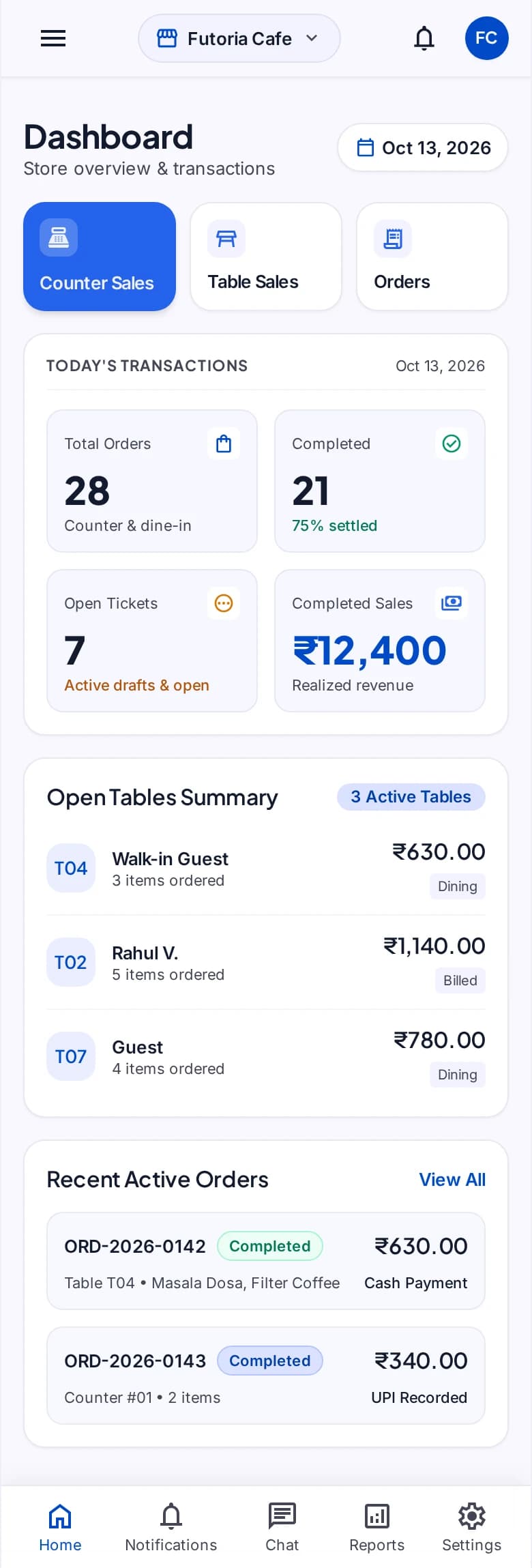
See transactions, tables, and orders together, then follow the counter-sale journey.
Selected mobile designs, shown with the shared DisplayQue Plus app navigation.
Sales workflows
Menus and products
Displays and promotions
What businesses get with Restaurant POS Software
DisplayQue restaurant POS is built for teams that need more than a billing screen. It connects table service, menus, kitchen flow, billing, and customer-facing systems so staff can run daily service with less confusion. Because the POS sits inside the wider DisplayQue operating stack, businesses can connect ordering, token updates, customer displays, digital signage, and branch-level reporting without stitching together separate tools.
Everything included in your restaurant pos software setup
These are the day-to-day capabilities teams use to run the workflow clearly across counters, screens, staff, and branches.
Tables and floors
Organize service areas, tables, and floor context for dine-in operations.
Foods and menus
Manage food items and menus used across ordering and service.
Counter and table sales
Support fast counter transactions and structured table service.
Orders and billing
Keep order progression and billing connected to the same operating flow.
Inventory and purchasing
Connect product availability, purchases, suppliers, and wastage when enabled.
Displays and promotions
Coordinate customer-facing displays, floor operations, and promotional activity.
Walk through POS, one step at a time.
Select a step to explore the mobile design. This demonstration uses sample content and does not change your workspace.
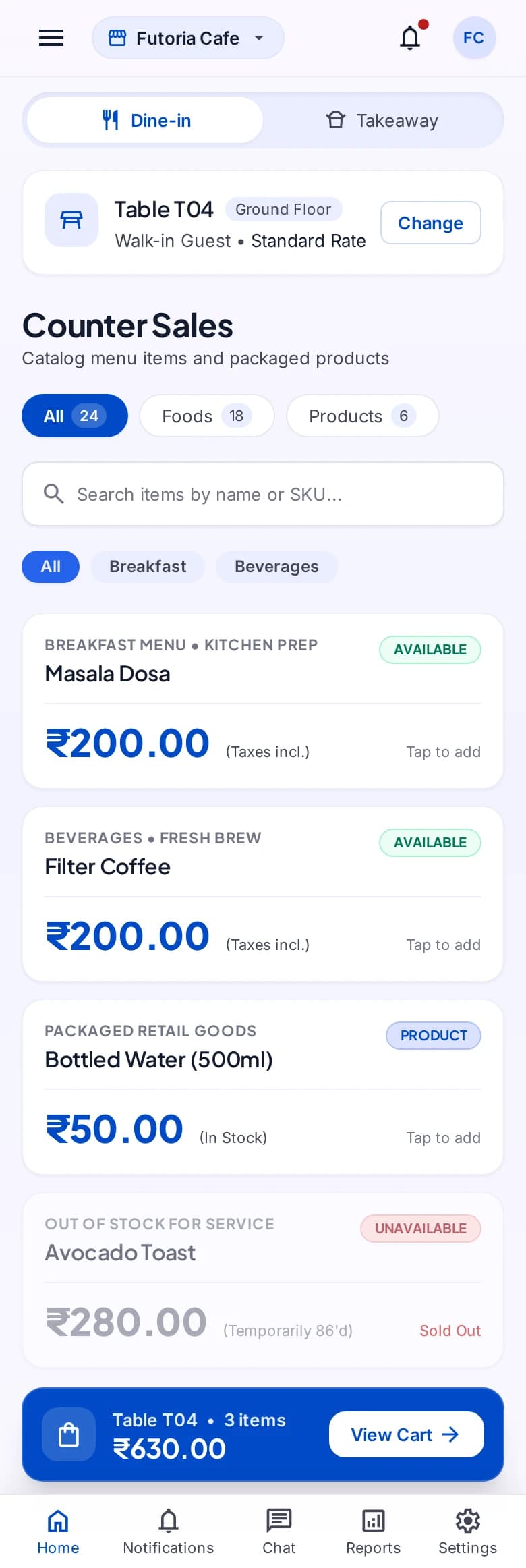
An order begins with the right menu.
Measurable impact for your business
Real results that translate directly to your bottom line.
Shared operational context
Keep the records and handoffs behind the workflow in the same modular suite.
Platform template
Start from the system template and confirm customer-specific modules and access.
Controlled rollout
Apply platform access and staff permissions according to the approved implementation.
Where teams use this system most
These are the business environments where restaurant pos software is typically used to improve speed, clarity, and customer flow.
Explore vertical pages with stronger search intent
We've mapped DisplayQue to specific industries so buyers can find the exact use cases they search for.
Workflow pages tied to real buyer intent
Beyond product pages, we're building use-case content for the problems teams actively search for.
Compatibility content for hardware and connected systems
These pages show how DisplayQue fits Android kiosk setups, commercial displays, Windows signage, and payment-connected workflows.
Why businesses choose DisplayQue for restaurant pos software
We've designed every feature with real business needs in mind. Here's what sets us apart.
Platform modules can be composed around the operating model
Shared records reduce repeated setup across connected workflows
Web, mobile, kiosk, and display experiences can be scoped together
Works with your existing tools
Seamlessly connects with the platforms and services you already use.
Built with modern businesses in mind
Every feature in our restaurant pos software platform has been crafted based on real feedback from businesses just like yours.
Ready to transform your business?
Review the product tour or discuss how restaurant pos software could fit your workflows, users, locations, devices, and rollout scope.
Explore Other Workflows
Each workflow can run on its own or connect with the rest of your customer-facing and business systems.