Self-ordering kiosk software for faster ordering, upselling, and cleaner counters
Help customers place orders on their own, reduce counter pressure, connect payments, and keep menu, billing, and service flow aligned.
Keep service moving from your phone.
See transactions, tables, and orders together, then follow the counter-sale journey.
Selected mobile designs, shown with the shared DisplayQue Plus app navigation.
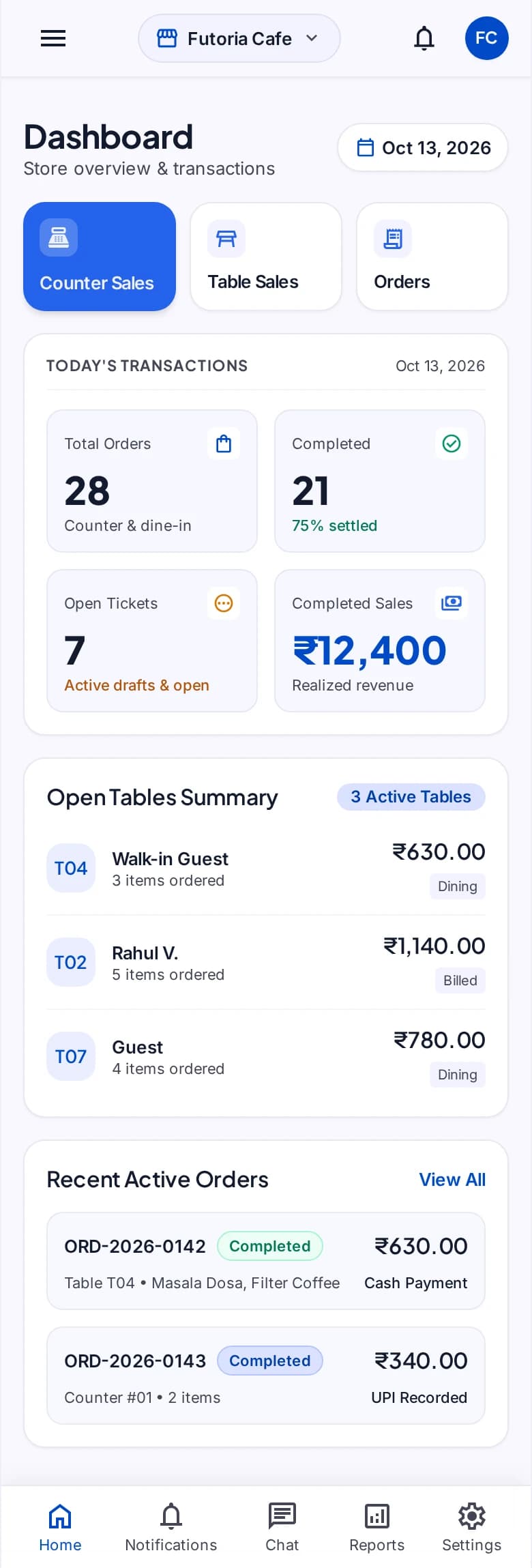
Customer ordering
Menu and POS context
Service handoff
What businesses get with Self-Ordering Kiosk Software
DisplayQue self-ordering kiosk software helps businesses speed up ordering without losing control of menus, payments, or service flow. It is designed for restaurants, food courts, retail counters, clinics, and high-footfall service environments where staff need fewer repetitive interactions and customers need a clearer path to complete an order. The kiosk workflow stays connected to billing, menu updates, customer communication, and queue visibility so the kiosk is not operating as a disconnected screen.
Everything included in your self-ordering kiosk software setup
These are the day-to-day capabilities teams use to run the workflow clearly across counters, screens, staff, and branches.
Self-service ordering
Present a clear customer ordering flow on supported kiosk devices.
Menu control
Keep customer choices aligned with the configured food and menu structure.
Order handoff
Pass submitted orders into the operating flow used by staff.
Payment context
Support the payment workflow agreed for the implementation.
Status visibility
Connect customer handoff with token, queue, or pickup communication.
Screen experience
Coordinate kiosk presentation with signage and promotional content where required.
Walk through POS, one step at a time.
Select a step to explore the mobile design. This demonstration uses sample content and does not change your workspace.
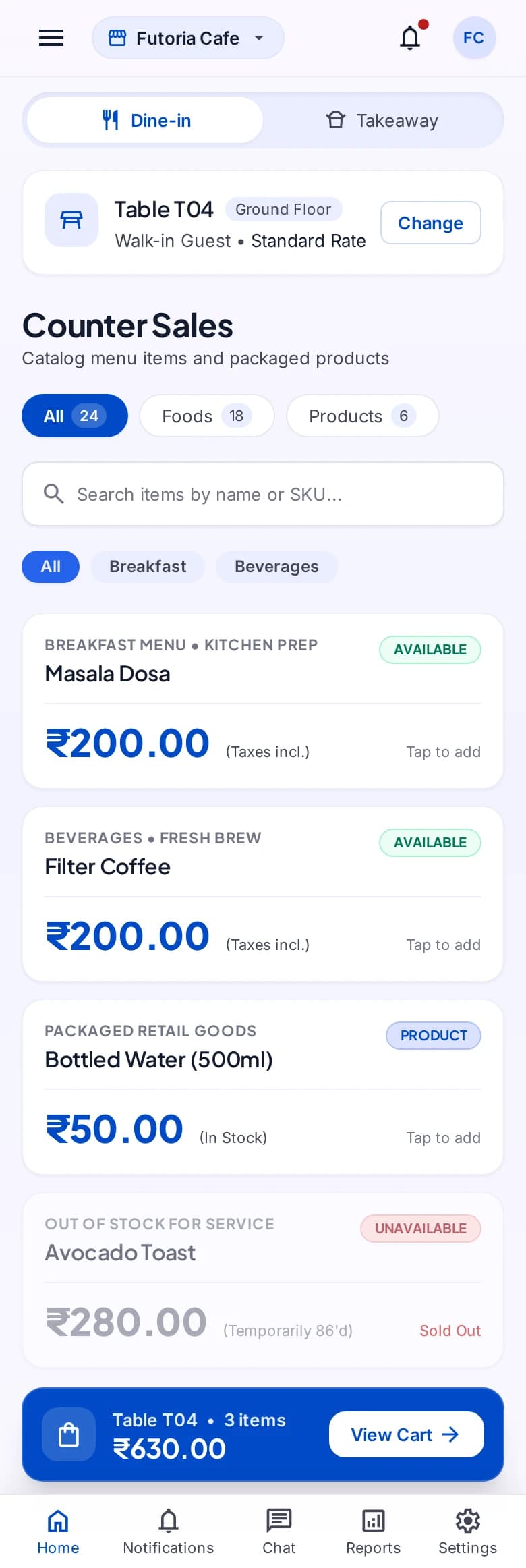
An order begins with the right menu.
Measurable impact for your business
Real results that translate directly to your bottom line.
Shared operational context
Keep the records and handoffs behind the workflow in the same modular suite.
Platform template
Start from the system template and confirm customer-specific modules and access.
Controlled rollout
Apply platform access and staff permissions according to the approved implementation.
Where teams use this system most
These are the business environments where self-ordering kiosk software is typically used to improve speed, clarity, and customer flow.
Explore vertical pages with stronger search intent
We've mapped DisplayQue to specific industries so buyers can find the exact use cases they search for.
Workflow pages tied to real buyer intent
Beyond product pages, we're building use-case content for the problems teams actively search for.
Compatibility content for hardware and connected systems
These pages show how DisplayQue fits Android kiosk setups, commercial displays, Windows signage, and payment-connected workflows.
Why businesses choose DisplayQue for self-ordering kiosk software
We've designed every feature with real business needs in mind. Here's what sets us apart.
Platform modules can be composed around the operating model
Shared records reduce repeated setup across connected workflows
Web, mobile, kiosk, and display experiences can be scoped together
Works with your existing tools
Seamlessly connects with the platforms and services you already use.
Built with modern businesses in mind
Every feature in our self-ordering kiosk software platform has been crafted based on real feedback from businesses just like yours.
Ready to transform your business?
Review the product tour or discuss how self-ordering kiosk software could fit your workflows, users, locations, devices, and rollout scope.
Explore Other Workflows
Each workflow can run on its own or connect with the rest of your customer-facing and business systems.