Token display and queue management software for counters, pickups, and waiting areas
Show token numbers, pickup status, called counters, and service progress on customer-facing screens so people always know what happens next.
Planning this workflow for Kerala?
Review the Kerala page for token issue, TV token display, counter calling, waiting areas, and live queue visibility.
Keep the queue moving and everyone informed.
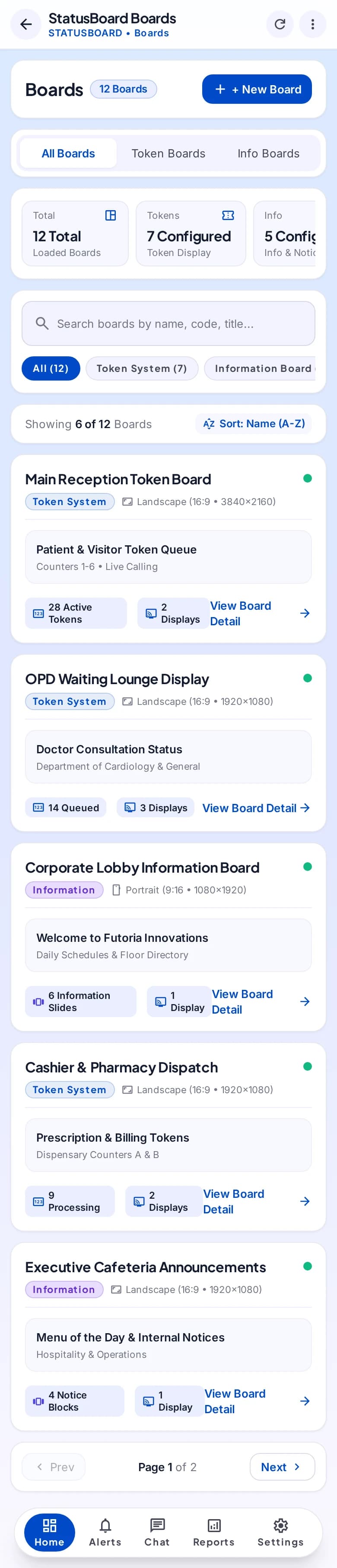
Explore boards, tokens, and public status through a mobile operating workspace.
Selected mobile designs, shown with the shared DisplayQue Plus app navigation.

Token visibility
Board and screen control
Counter communication
What businesses get with Token Display & Queue Management System
DisplayQue helps businesses run token display and queue communication workflows with live screen updates, printer-connected token issuance, and customer-facing progress visibility. It is useful for hospitals, clinics, service desks, food courts, pickup counters, and any environment where waiting clarity matters. Instead of relying on manual announcements or unclear queue handling, teams can use one connected system for token generation, screen updates, and service status communication.
Everything included in your token display & queue management system setup
These are the day-to-day capabilities teams use to run the workflow clearly across counters, screens, staff, and branches.
Displays
Register and organize the customer-facing display surface.
Boards
Create the operational board used to communicate current status.
Display screens
Control the screen experiences assigned to a StatusBoard workflow.
Token system
Issue and progress tokens through the configured service flow.
Information system
Publish counter, queue, pickup, or operational information.
Reports and notes
Keep supporting operational review and team context available.
Walk through StatusBoard, one step at a time.
Select a step to explore the mobile design. This demonstration uses sample content and does not change your workspace.
A shared view for the service point.
Measurable impact for your business
Real results that translate directly to your bottom line.
Shared operational context
Keep the records and handoffs behind the workflow in the same modular suite.
Platform template
Start from the system template and confirm customer-specific modules and access.
Controlled rollout
Apply platform access and staff permissions according to the approved implementation.
Where teams use this system most
These are the business environments where token display & queue management system is typically used to improve speed, clarity, and customer flow.
Explore vertical pages with stronger search intent
We've mapped DisplayQue to specific industries so buyers can find the exact use cases they search for.
Workflow pages tied to real buyer intent
Beyond product pages, we're building use-case content for the problems teams actively search for.
Compatibility content for hardware and connected systems
These pages show how DisplayQue fits Android kiosk setups, commercial displays, Windows signage, and payment-connected workflows.
Why businesses choose DisplayQue for token display & queue management system
We've designed every feature with real business needs in mind. Here's what sets us apart.
Platform modules can be composed around the operating model
Shared records reduce repeated setup across connected workflows
Web, mobile, kiosk, and display experiences can be scoped together
Works with your existing tools
Seamlessly connects with the platforms and services you already use.
Built with modern businesses in mind
Every feature in our token display & queue management system platform has been crafted based on real feedback from businesses just like yours.
Ready to transform your business?
Review the product tour or discuss how token display & queue management system could fit your workflows, users, locations, devices, and rollout scope.
Explore Other Workflows
Each workflow can run on its own or connect with the rest of your customer-facing and business systems.