Lead capture
Record new opportunities with their source, business context, requested workflow, and contact details.
Bring leads, customer history, follow-ups, communications, quotations, campaigns, and decision-support context into one connected CRM workflow.
Explore pipeline activity and follow-ups without losing the context of the relationship.
Selected mobile designs, shown with the shared DisplayQue Plus app navigation.
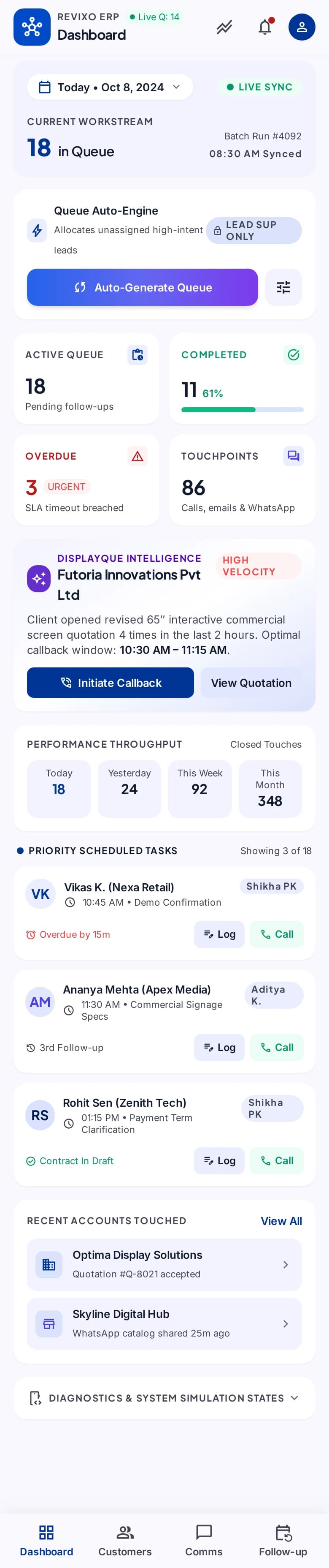
ConnectCRM helps teams retain the context around every prospect and customer interaction. Leads, conversations, planned follow-ups, commercial documents, and wider suite activity can support a more consistent next action without isolating CRM from execution.
Start with the modules your workflow needs and keep the surrounding business context connected as the platform expands.
Record new opportunities with their source, business context, requested workflow, and contact details.
Organize the next action, due context, ownership, and continuing activity around the relationship.
Keep customer interactions and relevant account activity visible alongside the commercial record.
Connect outreach and campaign context to the proposals and sales work that follow.
Select a step to explore the mobile design. This demonstration uses sample content and does not change your workspace.
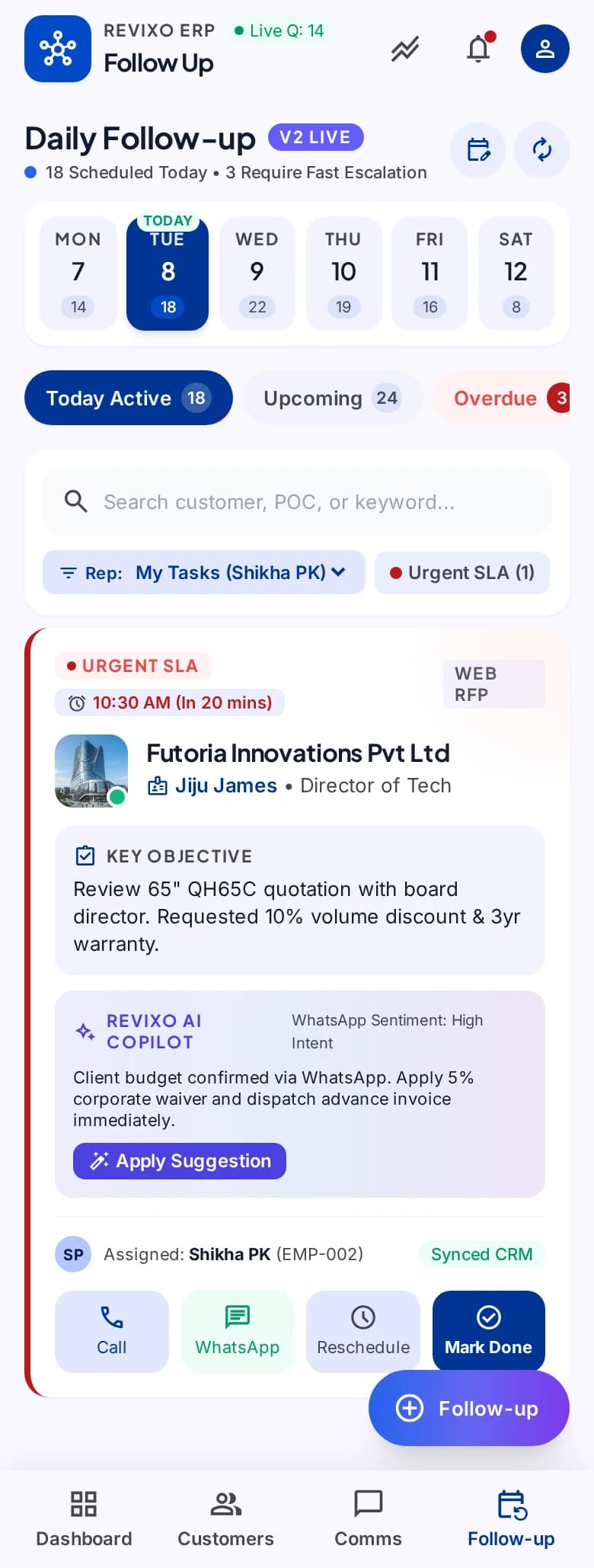
The next conversation has a clear owner.
Exact module availability, configuration, and data scope are confirmed for each implementation.
Use the product tour for a broader suite walkthrough or continue to the closest focused product or solution page.
Run structured B2B selling and direct B2C transactions with shared customers, products, inventory, documents, suppliers, and reporting.
View SalesCoordinate intake, customer and product context, technicians, status movement, documents, notes, commercial activity, and service history.
View ServiceCreate branded questionnaires, collect responses through public experiences, review results, and bring feedback into customer and operational decision-making.
View SurveyTell us which teams, locations, modules, and customer journeys you need to connect. We will shape the demo around that operating context.