Customers and leads
Keep customer profiles, contacts, requirements, and commercial history available throughout the sales journey.
Run structured B2B selling and direct B2C transactions with shared customers, products, inventory, documents, suppliers, and reporting.
Explore revenue, quotations, and customer activity from a focused mobile workspace.
Selected mobile designs, shown with the shared DisplayQue Plus app navigation.

Sales brings customer-facing commercial work and the operational records behind it into one platform. Teams can move from requirements and quotations to orders, billing, stock movement, supplier context, and follow-through without rebuilding the same data in separate tools.
Start with the modules your workflow needs and keep the surrounding business context connected as the platform expands.
Keep customer profiles, contacts, requirements, and commercial history available throughout the sales journey.
Prepare structured quotations and move accepted work into orders and invoices with connected line items.
Use the same product catalogue and stock context when teams quote, sell, fulfil, and report.
Connect procurement and supplier records to the products and operational work that sales teams depend on.
Select a step to explore the mobile design. This demonstration uses sample content and does not change your workspace.
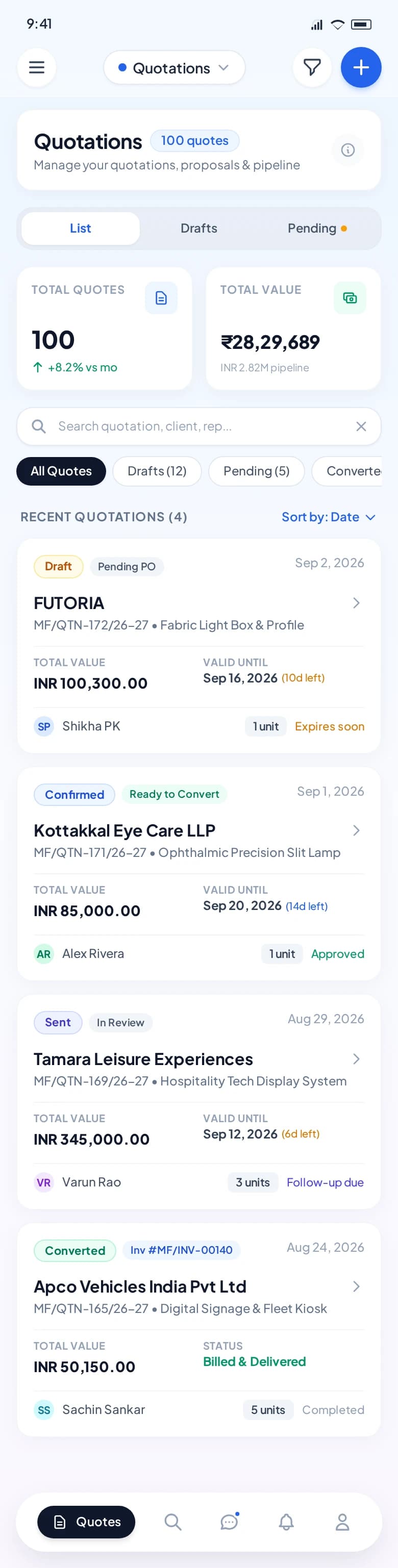
Customer context stays with the proposal.
Exact module availability, configuration, and data scope are confirmed for each implementation.
Use the product tour for a broader suite walkthrough or continue to the closest focused product or solution page.
Bring leads, customer history, follow-ups, communications, quotations, campaigns, and decision-support context into one connected CRM workflow.
View ConnectCRMSupport retail, restaurant, bakery, counter, table, menu, kitchen, payment, and stock workflows through a flexible point-of-sale platform.
View POSCoordinate intake, customer and product context, technicians, status movement, documents, notes, commercial activity, and service history.
View ServiceTell us which teams, locations, modules, and customer journeys you need to connect. We will shape the demo around that operating context.