Content library
Organize approved media and reusable content assets for screen-based communication.
Organize media, templates, playlists, zones, schedules, campaigns, screens, and device groups through one digital-signage platform.
Explore your display network, arrange content, and plan what plays next.
Selected mobile designs, shown with the shared DisplayQue Plus app navigation.
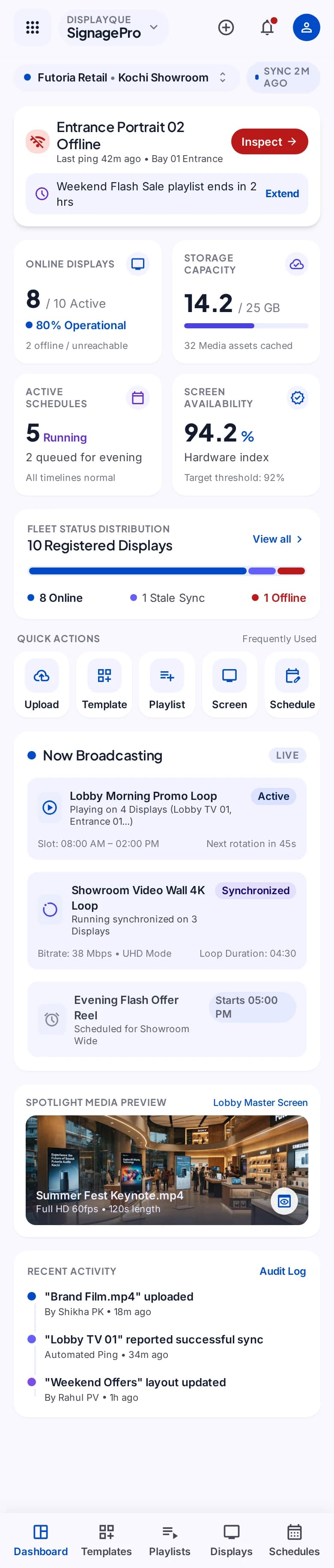
Review the Kerala page for TV content publishing, video playlists, menu boards, campaigns, and multi-screen publishing.
Signage gives content and operations teams a structured path from approved media to scheduled screen output. It can support promotions, menu boards, announcements, brand content, and multi-zone experiences while connecting with other DisplayQue workflows.
Start with the modules your workflow needs and keep the surrounding business context connected as the platform expands.
Organize approved media and reusable content assets for screen-based communication.
Compose content into layouts and screen regions that match the intended experience.
Sequence content and control when approved material should run.
Assign publishing configurations to the relevant displays and grouped device estate.
Select a step to explore the mobile design. This demonstration uses sample content and does not change your workspace.
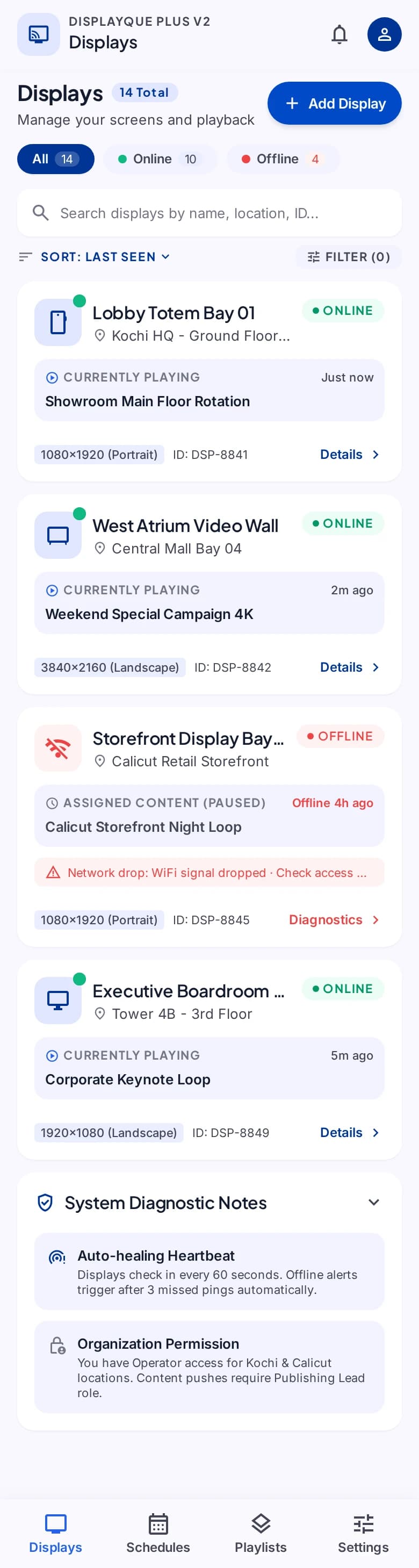
A destination for your message.
Exact module availability, configuration, and data scope are confirmed for each implementation.
Use the product tour for a broader suite walkthrough or continue to the closest focused product or solution page.
Publish token, queue, counter, pickup, service, and other live status information through configurable boards and customer-facing displays.
View StatusBoardSupport retail, restaurant, bakery, counter, table, menu, kitchen, payment, and stock workflows through a flexible point-of-sale platform.
View POSCreate branded questionnaires, collect responses through public experiences, review results, and bring feedback into customer and operational decision-making.
View SurveyTell us which teams, locations, modules, and customer journeys you need to connect. We will shape the demo around that operating context.