Boards and status fields
Configure the information, columns, tokens, states, and presentation required by the workflow.
Publish token, queue, counter, pickup, service, and other live status information through configurable boards and customer-facing displays.
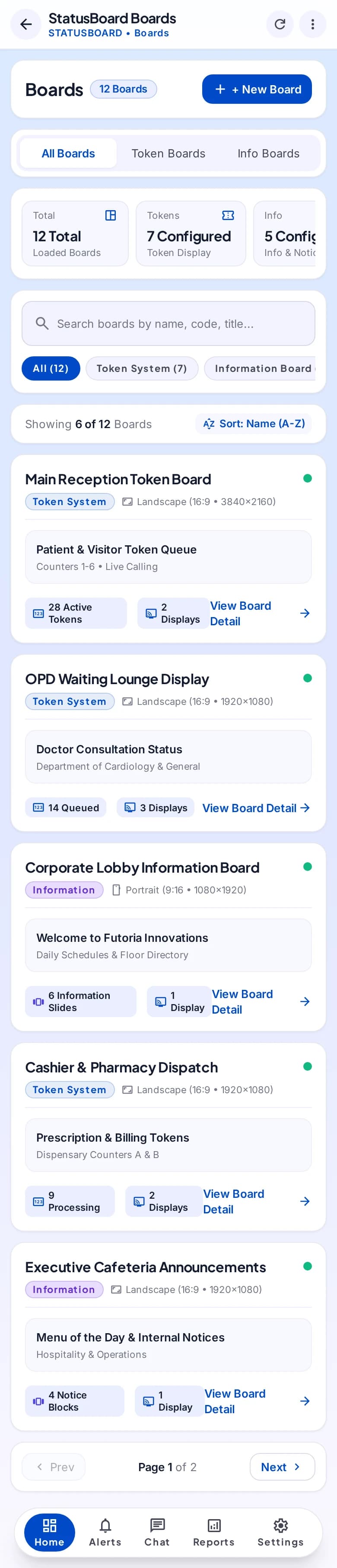
Explore boards, tokens, and public status through a mobile operating workspace.
Selected mobile designs, shown with the shared DisplayQue Plus app navigation.

Review the Kerala page for token issue, TV token display, counter calling, waiting areas, and live queue visibility.
StatusBoard turns changing operational records into clear public or team-facing views. It can connect transaction, service, token, counter, and pickup progress to screens without requiring staff to recreate status information separately.
Start with the modules your workflow needs and keep the surrounding business context connected as the platform expands.
Configure the information, columns, tokens, states, and presentation required by the workflow.
Move records through operational states and keep the latest progress visible.
Connect counters, service points, ready states, and public handoff communication.
Present approved live board information through customer-facing display experiences.
Select a step to explore the mobile design. This demonstration uses sample content and does not change your workspace.
A shared view for the service point.
Exact module availability, configuration, and data scope are confirmed for each implementation.
Use the product tour for a broader suite walkthrough or continue to the closest focused product or solution page.
Support retail, restaurant, bakery, counter, table, menu, kitchen, payment, and stock workflows through a flexible point-of-sale platform.
View POSCoordinate intake, customer and product context, technicians, status movement, documents, notes, commercial activity, and service history.
View ServiceOrganize media, templates, playlists, zones, schedules, campaigns, screens, and device groups through one digital-signage platform.
View SignageTell us which teams, locations, modules, and customer journeys you need to connect. We will shape the demo around that operating context.